
TeachingBooks on your phone and tablet
The new TeachingBooks can be one click away on your phone, tablet, or any device.

Here are directions for both iOS and Android devices to put an icon on your screen that will launch the TeachingBooks website in your browser.
iOS
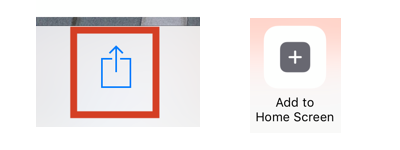
- Go to TeachingBooks.net in your Safari browser
- Click the "Share" icon at the bottom center of your screen
- In the dialog box that pops up, choose "Add to Home Screen"
- Click "Add"
Note: The "add to home screen" function is only available in Safari.
Android
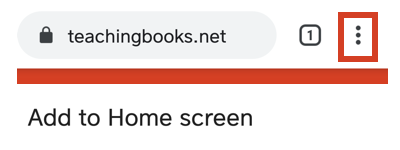
- Go to TeachingBooks.net in your Chrome browser
- Click the three vertical dots icon in the top right corner of the screen
- In the dialog box that pops up, choose "Add to Home Screen"
When you first open or access TeachingBooks on your device, sign in and select "Remember Me." Now you will always be authenticated and ready to use all the resources.

And just for fun, take a book and scan the barcode by clicking the barcode symbol at the top of the screen. Then you can have the author and other resources with you when literally holding the book in your hands!
